

GoBuildIt Built around how builders shop.
1,100 brick model kits for adults. We rebuilt the menu, the collections, the product page and the cart around what builders choose by: the model, its level and its build time.
Visit the live store (opens in a new tab)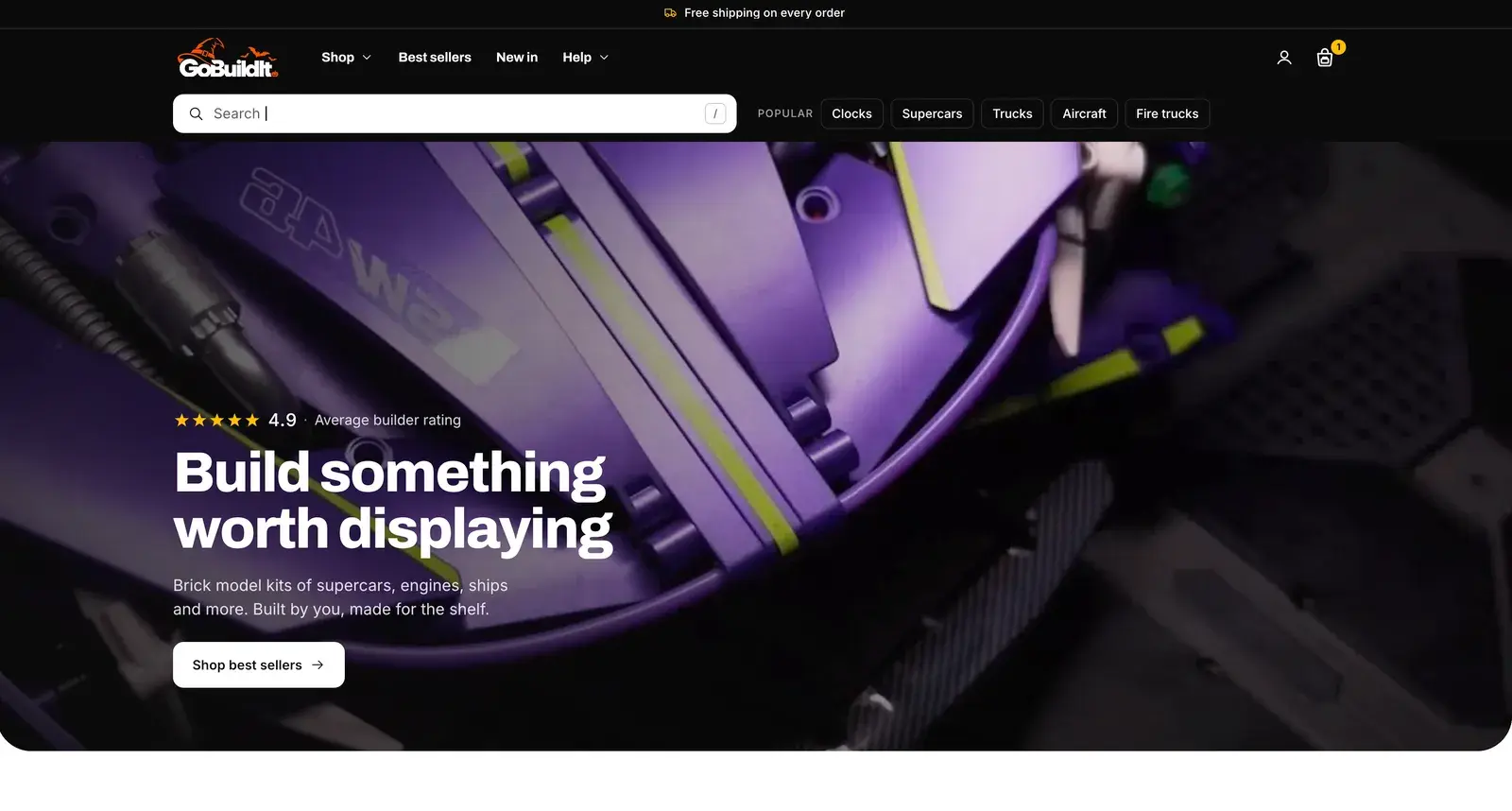
The brief
Brick model kits for adults, the biggest 5,466 pieces, bought without holding them. The store had to look worth the price and answer every doubt where people decide.
- Catalogue
- About 1,100 kits in 20+ collections
- Audit
- 73 findings in 17 areas
- Timeline
- About two weeks, October 2026
- Our part
- Audit, design system and a full theme rebuild
We judge every screen on four things
Cognitive ease
Less to read and less to decide on every screen. It matters most.
Navigation
The right product in as few taps as possible.
Structure
What each page shows, in the order people need it.
Journey
No dead ends between the first visit and the checkout.
01Menu
A menu built around what people build. Families, types, counts and levels.
1,100 kits can't hide behind “Cars” and “Builds”. People pick a family, then a type, then how hard they want it to be.
- Navigation
- Structure
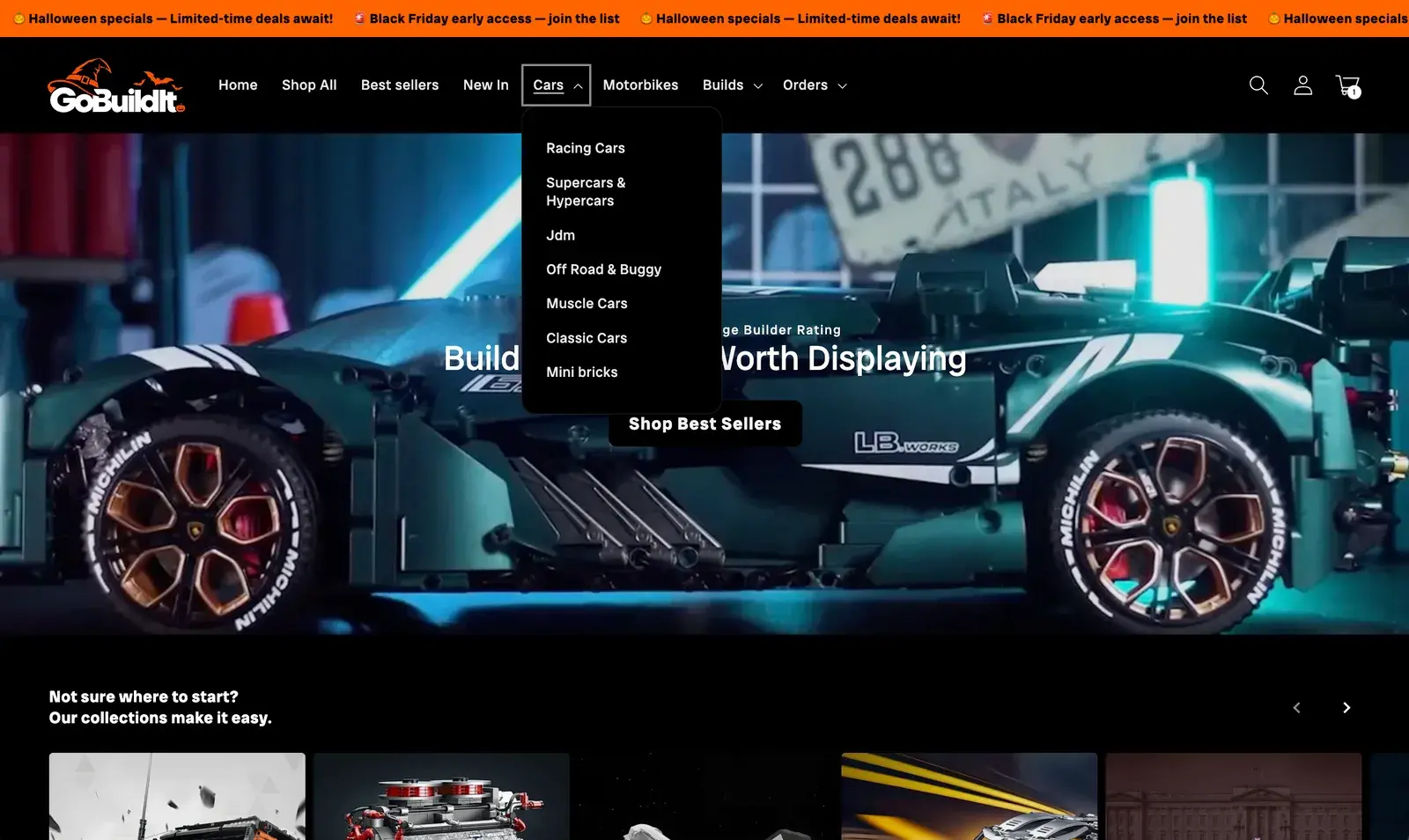
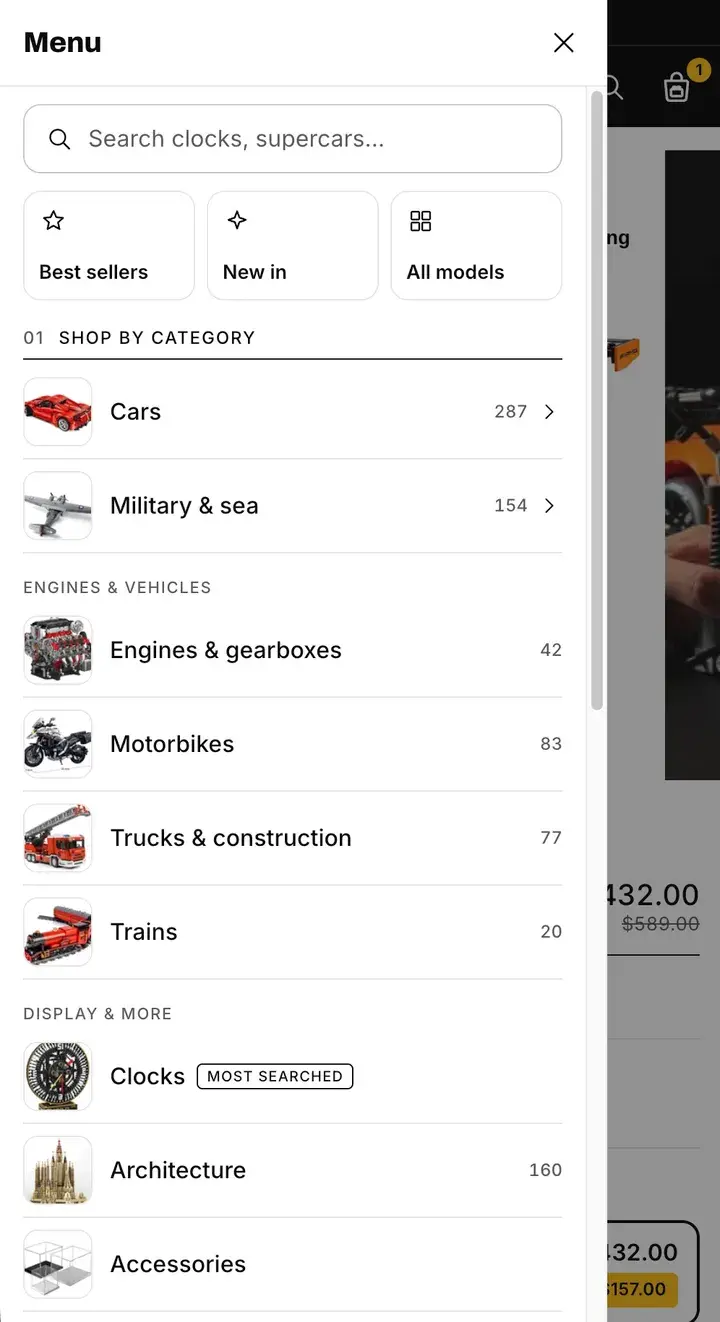
Before: “Home” as a menu item, and groups that didn't match what was in them
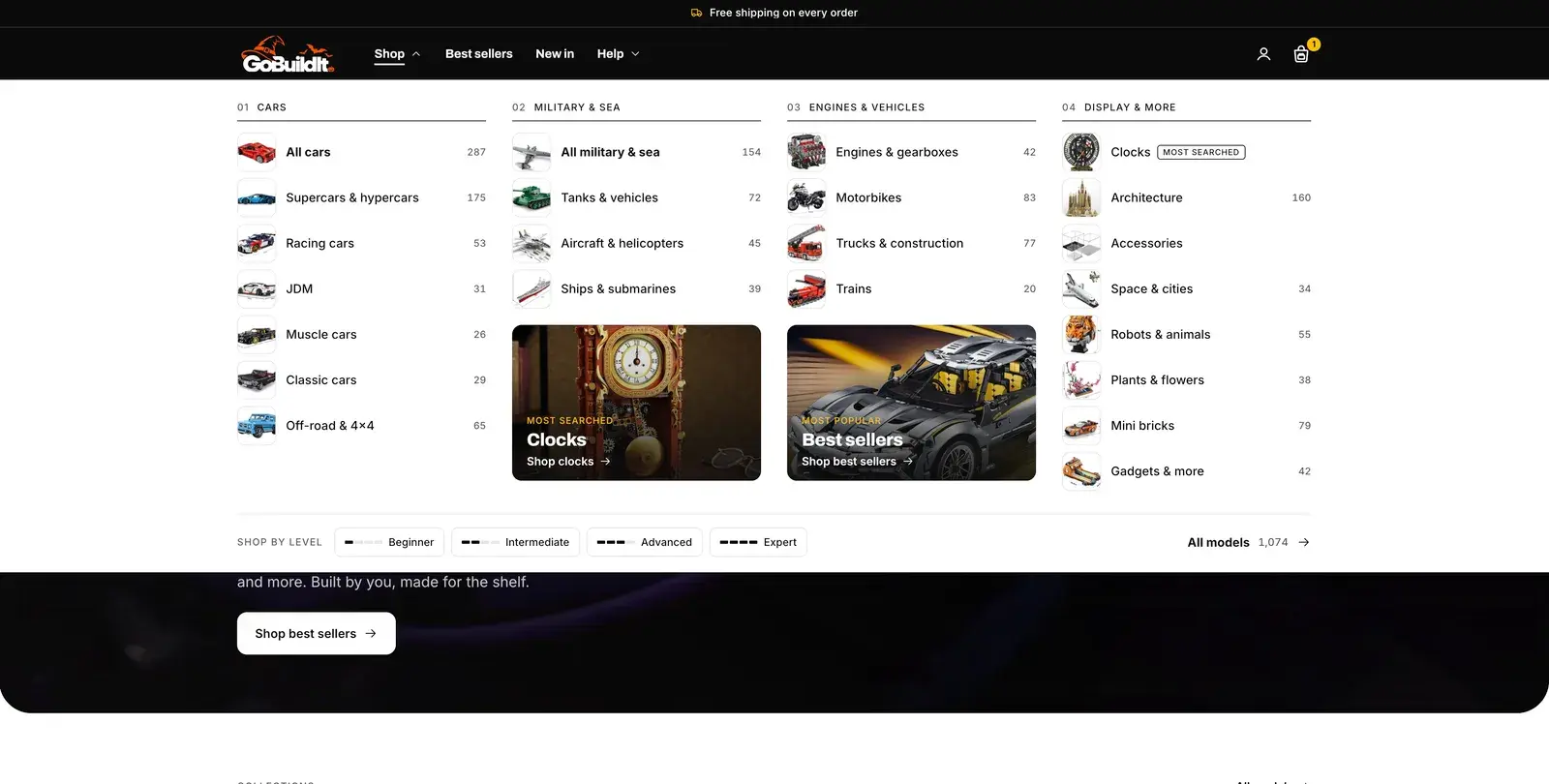
After: Four families and 22 categories, each with a thumbnail and its number of models
Before: No way to shop by difficulty
After: Shop by level: Beginner, Intermediate, Advanced, Expert
Before: Search behind an icon
After: Search open on every page, cycling through what people build
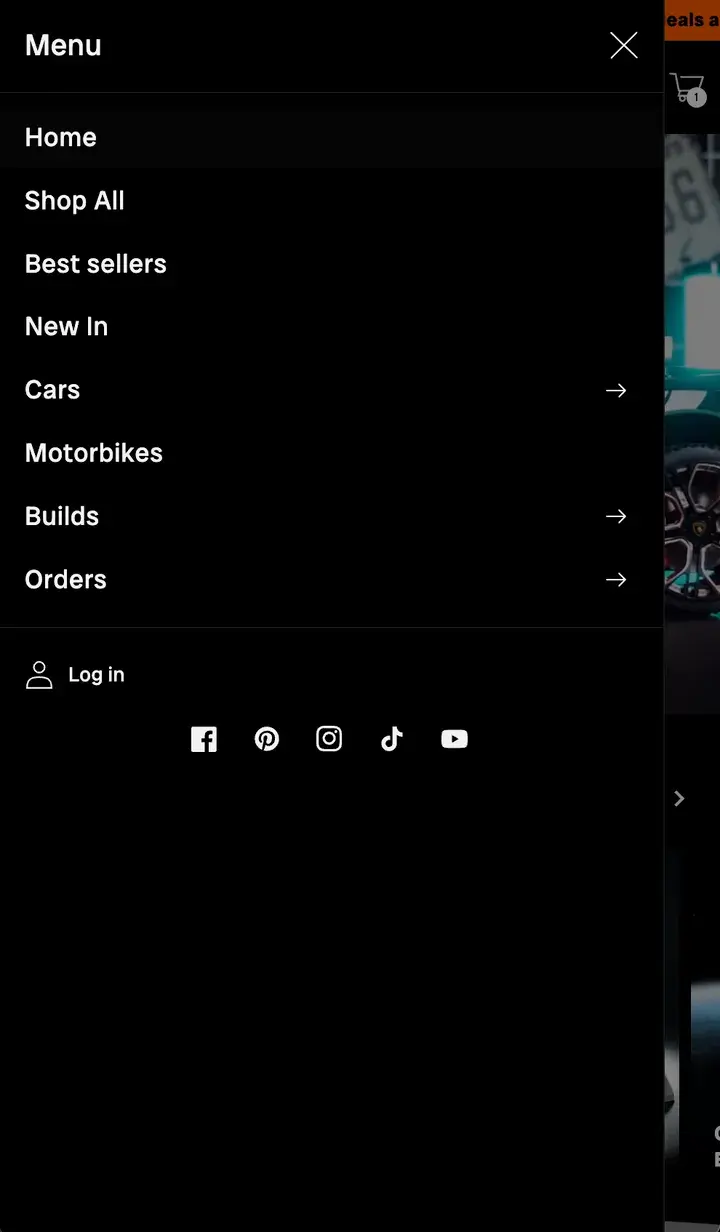
Before: A plain list on phones
After: Quick tiles first: Best sellers, New in, All models
02Collection page
Move sideways, not back. Filters on what builders choose by.
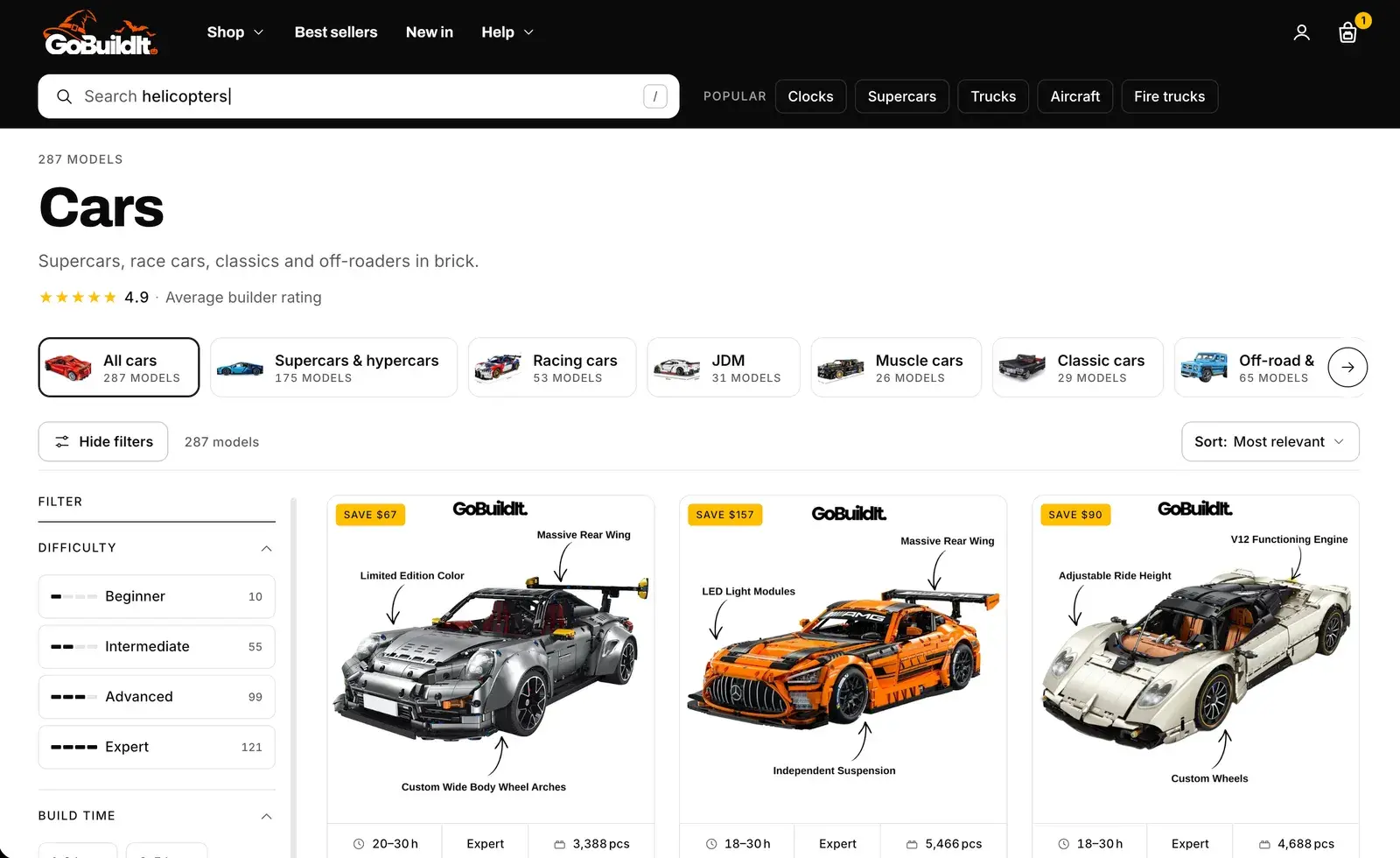
Someone looking at racing cars may well want a supercar. Before, they had to go back to the menu to find one.
- Navigation
- Structure
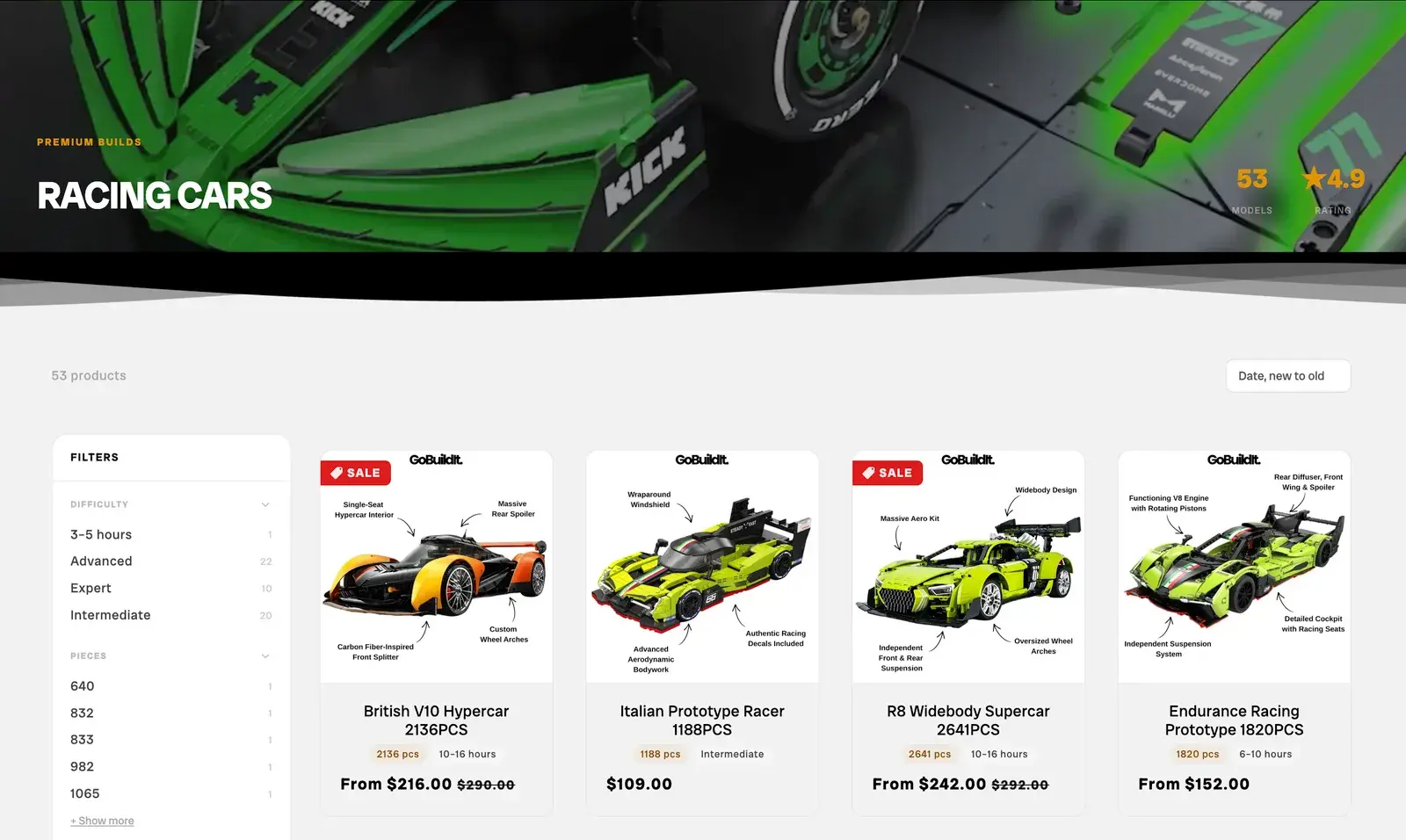
Before: A banner, then straight into products
After: A rail of every car type, each with its number of models
Before: Filters by exact piece count: 640, 832, 833…
After: Filters on difficulty, build time and piece ranges
Before: Cards with a photo, a title and a price
After: One card everywhere: build time, level and pieces under the photo
Before: Grey pages and the theme's default blue
After: White pages, black type and one yellow for what to tap
03Product page
One button, in the right order. Facts, choice, gift, then the cart.
A big kit is a considered buy. The page now answers questions in the order people ask them, and only one button asks for the money.
- Cognitive ease
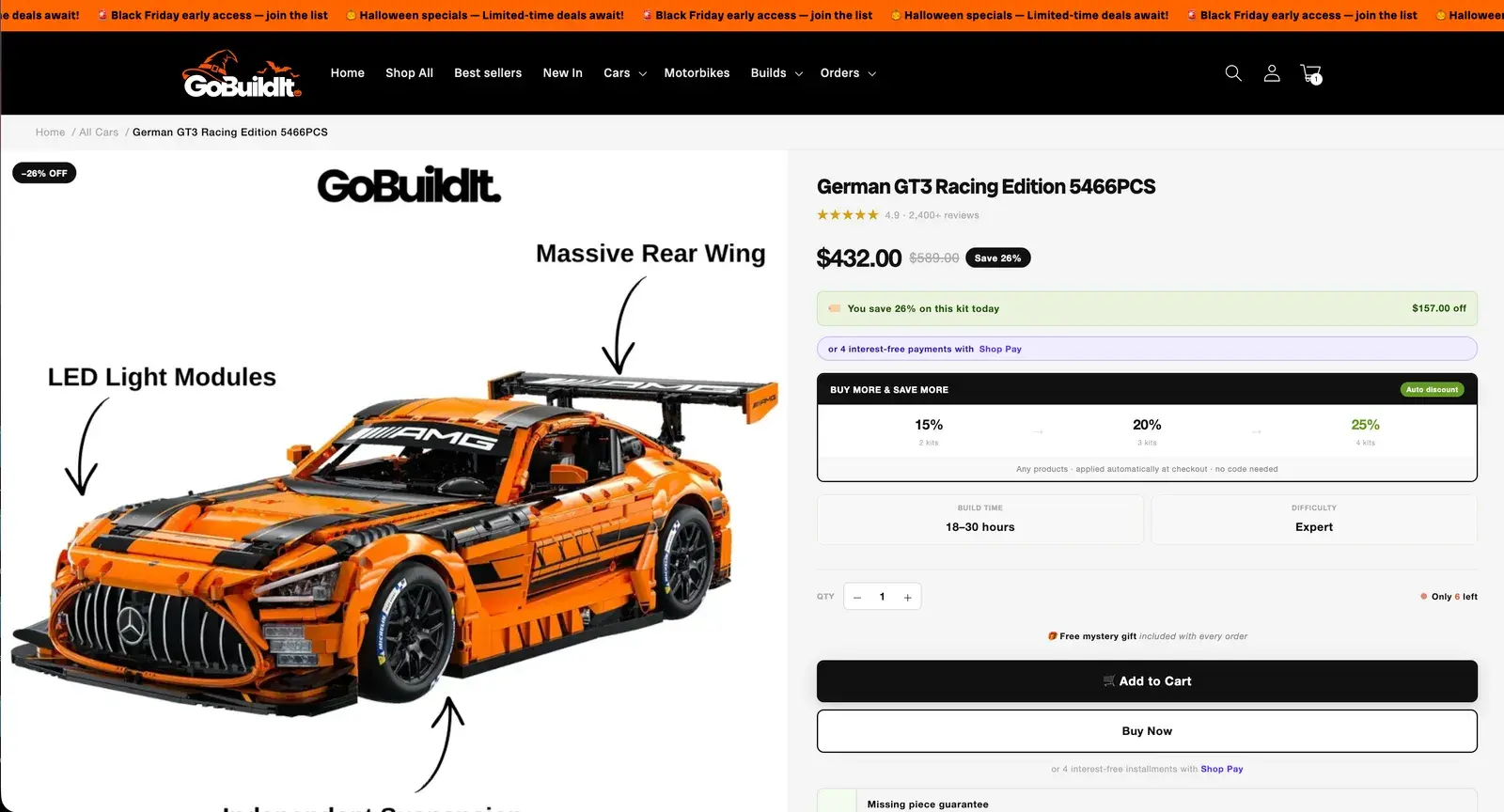
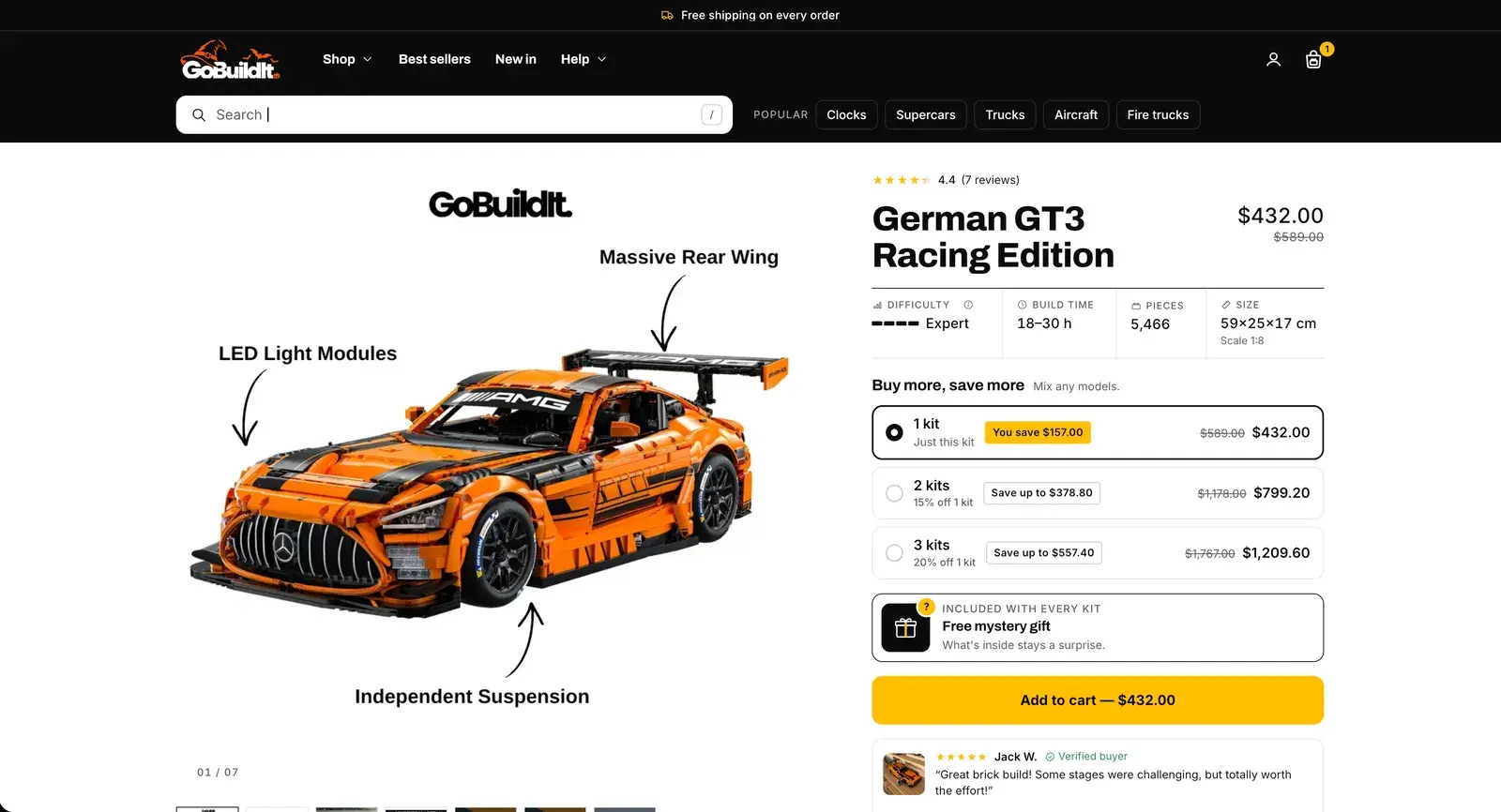
Before: Add to Cart and Buy Now, two buttons fighting
After: One yellow button, with the price on it
Before: Bundles as percentages: 15% · 20% · 25%
After: 1, 2 or 3 kits, each with its saving in money
Before: Build time and difficulty in two grey boxes
After: A spec row: difficulty, build time, pieces, size and scale
Before: Reviews of the whole store: “2,400+ reviews”
After: Reviews of this kit only, one number everywhere
Before: The free gift as a line of small text
After: The gift as a card: included with every kit
04The whole product page
Every doubt, answered on the way down. In the order they come up.
Below the buy box the page keeps selling: how the kit builds, what it looks like up close, what other builders say, and what to build next.
- Structure
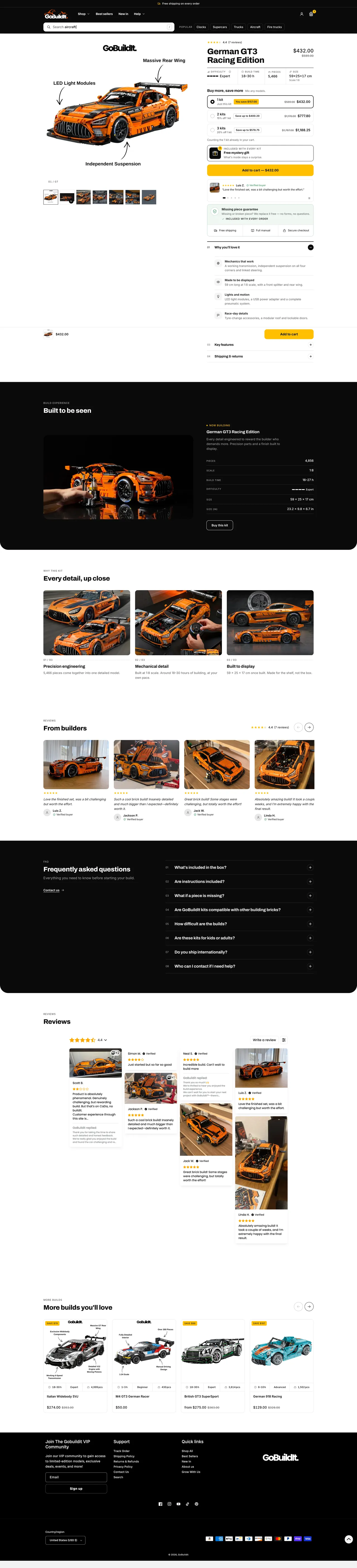

- Built to Be Seen: the build, on a loop
- Every detail, up close: three photos, the words from the kit's own specs
- Photos from builders, then the questions people ask
- Reviews of this kit, then more builds to look at
05Cart
A cart that keeps selling. With one plain way out: Checkout.
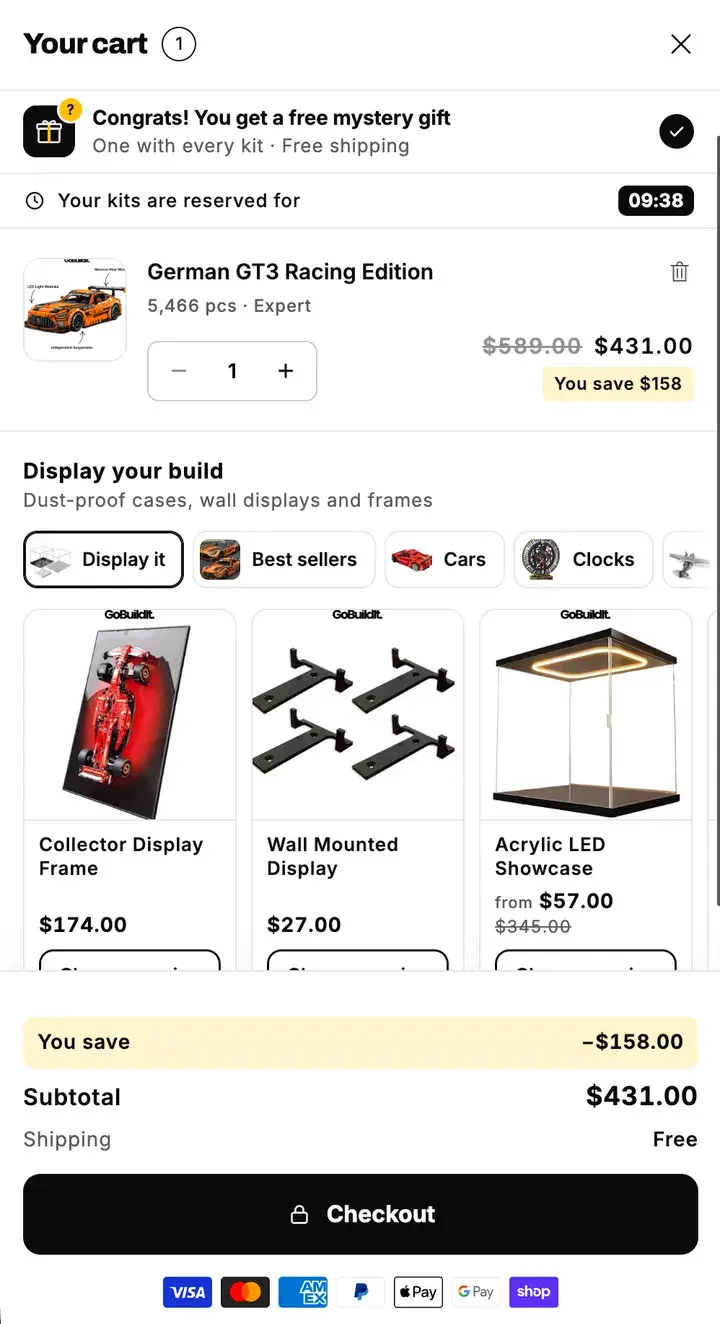
“Complete My Build” sounded like more building, not paying. The new cart says Checkout, puts the gift on top and suggests what the kit needs next.
- Journey
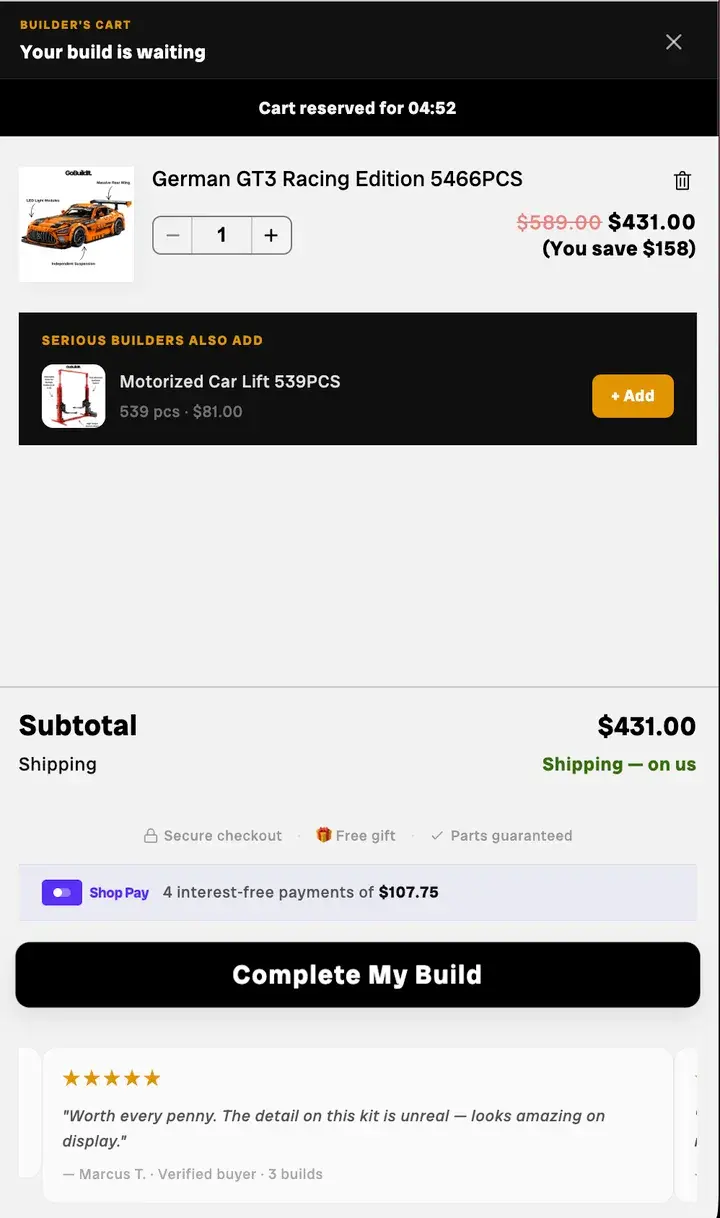
Before: “Complete My Build” as the checkout button
After: One plain Checkout button, with the payment badges under it
Before: The free gift mentioned at the bottom
After: “Congrats! You get a free mystery gift” at the top
Before: One add-on, the same for every kit
After: Display your build: cases, wall mounts and frames
Before: Review cards that weren't about this kit
After: The kit's facts on its line: 5,466 pcs · Expert
06Speed
Faster, too. No video loads until you reach it.
Video was the store's weak spot. Every clip now waits for its still to load, and for the shopper to scroll to it.
- Cognitive ease
Desktop speed score, home page
Before: 73
After: 93
Desktop speed score, collection page
Before: 84
After: 95
Main picture on a slow phone
Before: 17.2 s
After: 3.1 s
Product page download
Before: 18–39 MB
After: 4–5 MB
Measured with Lighthouse and a slowed-down phone test: the old theme against the redesign.